🎧 True Stereo Immersion
Don't settle for Mono. Route a true stereo signal to the venue (FOH) and a separate stereo click to your ears. Your band will sound "huge" and produced.
🦶 Hands-Free Control
Keep your hands on your guitar. Easily integrate any Bluetooth or USB foot switch to Start, Stop, or Skip tracks without ever touching the computer.
🔴 Live Mode Lockdown
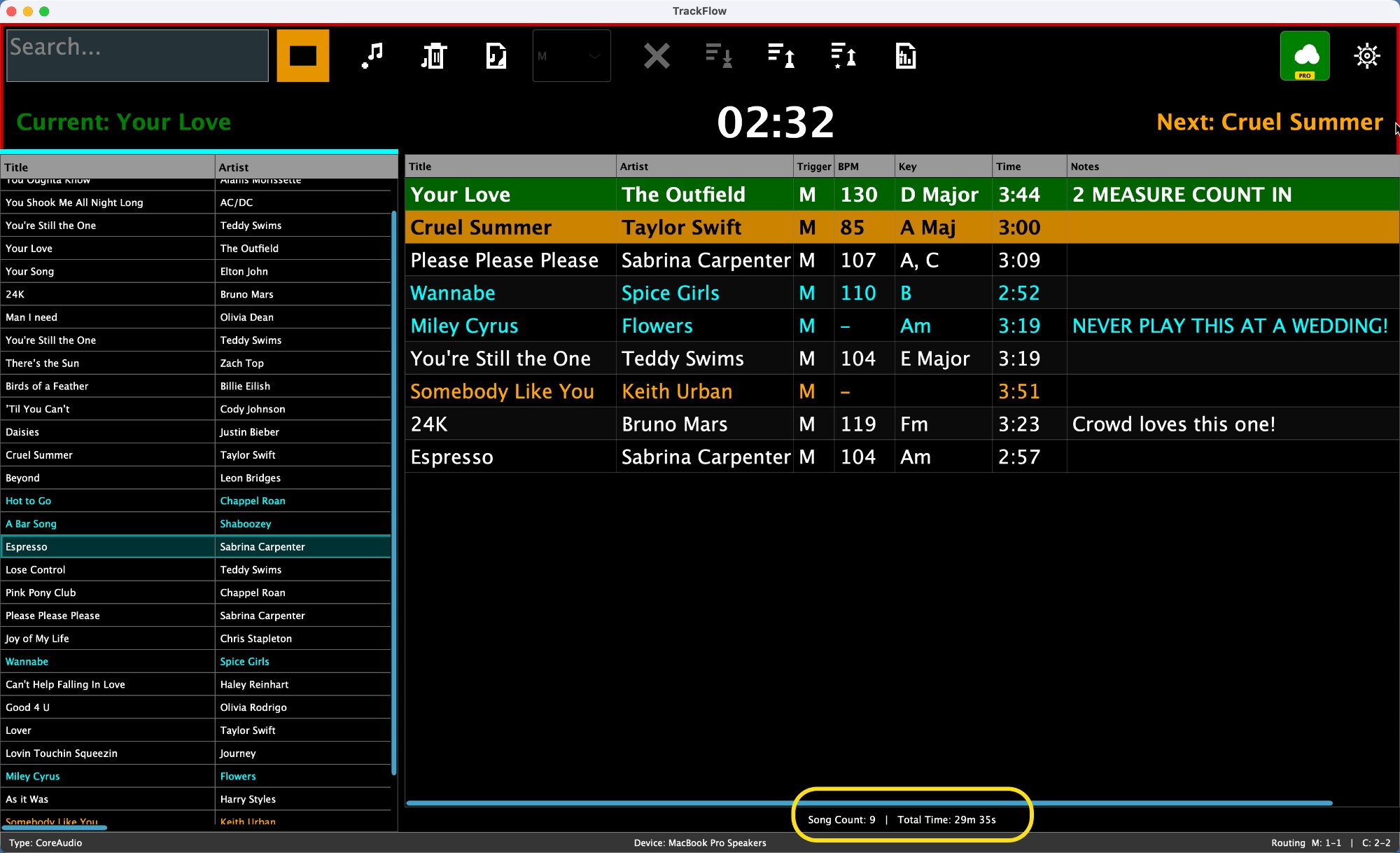
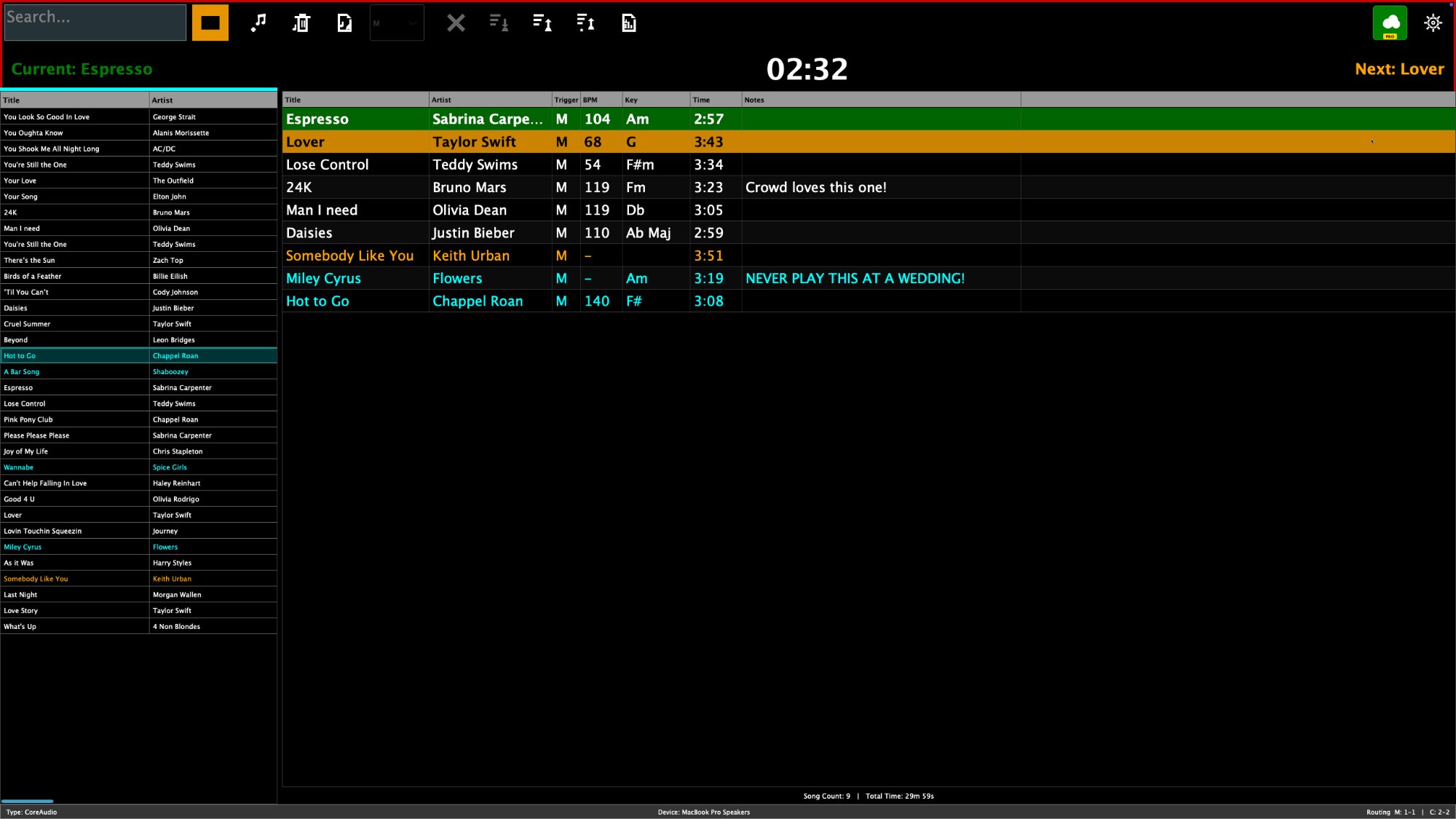
When the border turns Red, the interface locks. No accidental playlist loads, no device changes. Only the music matters.
🛡️ The Gatekeeper
Prevents misfires. Queued songs wait for your manual "GO" command (or foot tap) or run a precision auto-countdown.
See It In Action
High-visibility "Run Mode" keeps you safe on dark stages.
The Secret to "Big" Sound:
Route Output 1/2 to the PA (Stereo Music) and Output 3/4 to your IEMs (Click/Cues).
No more mono compromises.
The Gatekeeper:
Who loves a musical trainwreck? No one! The Gatekeeper is your last line of defense to preventing embarrassing on-stage disasters!
Find that next song FAST!:
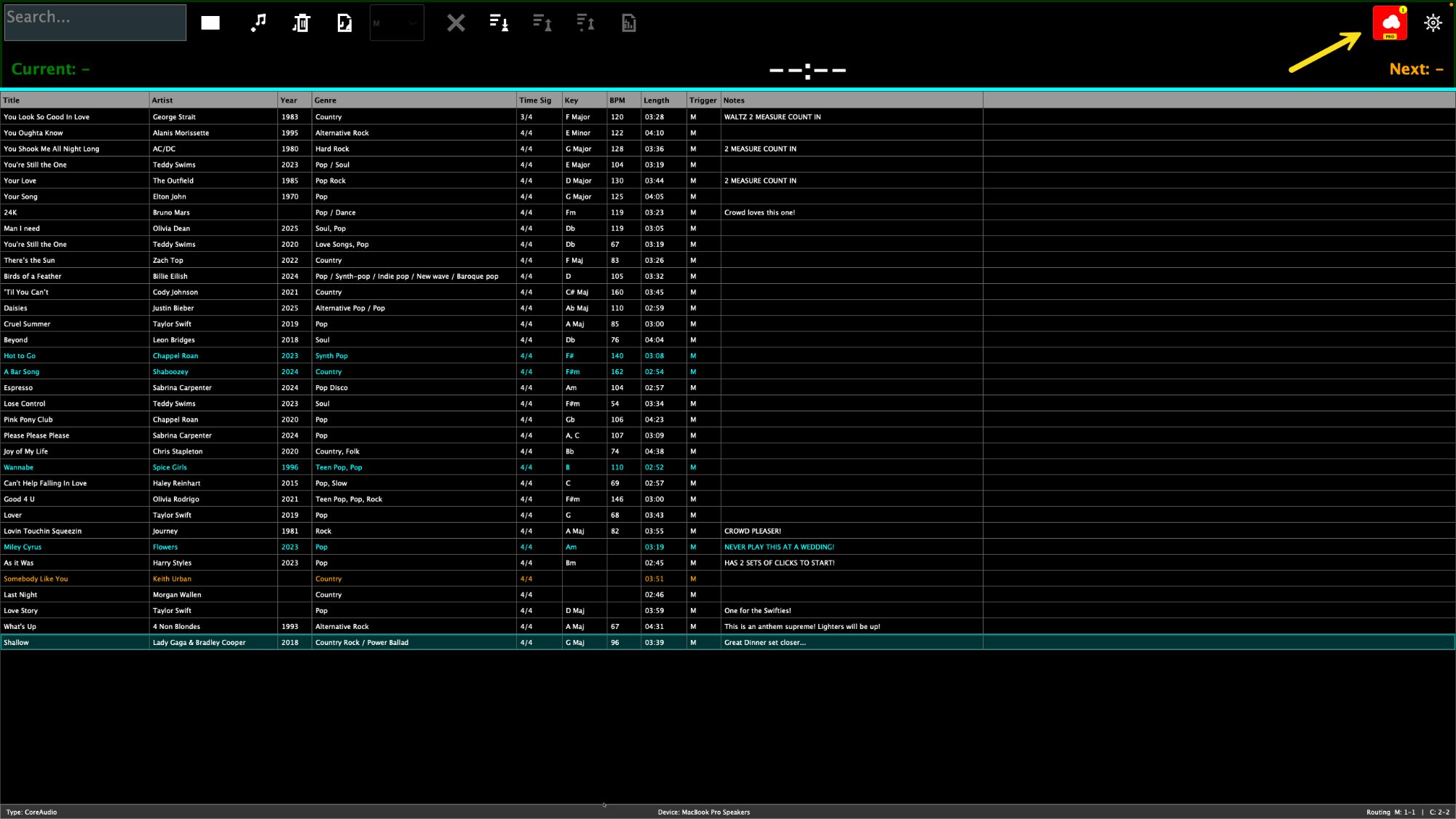
There is 10 seconds remaining in the current song! The singer has motioned that he wants "Shout!" next! Ctrl-F (CMD-F on Mac) takes you to the search box; type a few letters, hit enter. Instantly you are cued for that song! Less than 10 Seconds!
100% safe editing of songs WHILE the transport is playing!:
In the Edit Song dialog there are many fields to customize what the musicians see and ways to prevent the first few seconds (configurable) of the main track from playing if it contains a count in. Of course, clicks are routed how you see fit in the audio settings page!
Frequently Asked Questions
Does this work on Mac?
Yes! TrackFlow is a native application for both macOS (Intel/Apple Silicon) and Windows 10/11.
How do updates work?
Your purchase includes 1 Year of Free Updates. You can keep using the version you bought forever, even if you choose not to renew updates later.
What foot switches work?
Any USB or Bluetooth pedal that sends standard keystrokes (like AirTurn, PageFlip, or generic pedals). Just map it to Spacebar (Play) or 'N' (Next).
Can I use my own click tracks?
Absolutely. You can load a separate "Click" file for every song and route it to a dedicated headphone output.